
Current Liabilities – Definition and Examples


Introduction to Current Liabilities

Before understanding the current liabilities, let’s talk a bit about liabilities in general and what does it mean to a business. Liabilities are the obligations or Debts payable by the business in future in the form of money or goods.

To simplify, it is the amount of money that a business must pay in future. It could be anything right from paying back to its investors to as small as money which is yet to be paid for courier delivery partner. No matter how big or small, anything which a business owes to others is considered as liabilities.

While this is true but based on the nature of liabilities, some of them need to be paid in a shorter time and while some will stay for long time as liabilities. Basis this nature, the liabilities can be classified as ‘Current Liabilities’ and ‘Non-current Liabilities’.
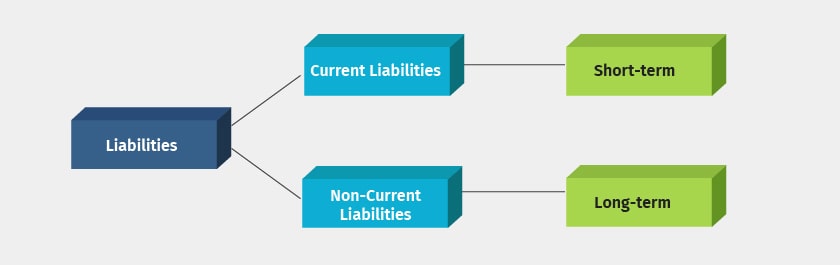
Liabilities

Definition of Current Liabilities

Current liabilities are the short-term debts or obligation which a company needs to pay within a year. salaries due to be paid, amount payable to suppliers, etc. are some of the examples of current liabilities.

Current liabilities are one of the major areas of the cash outflow for any business and it should be managed efficiently to keep your cash flow in control.

Examples of Current Liabilities

The following are the examples of current liabilities which needs to be paid in short-term, usually within 1 year.
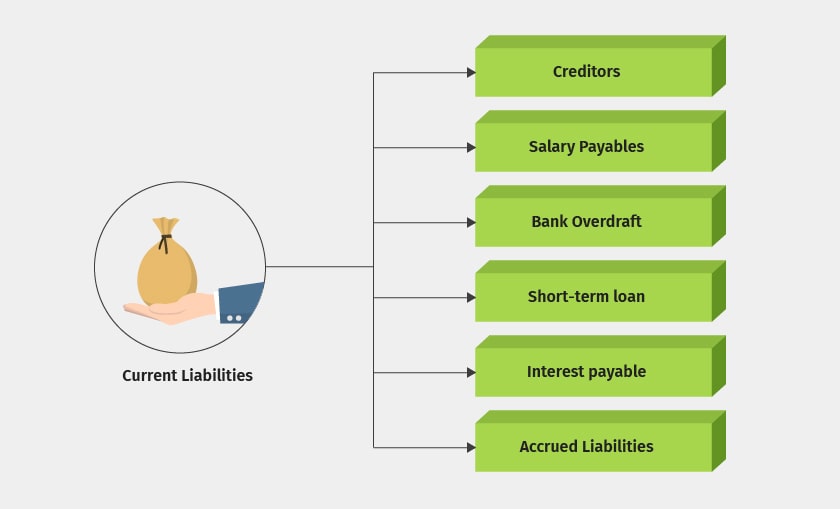
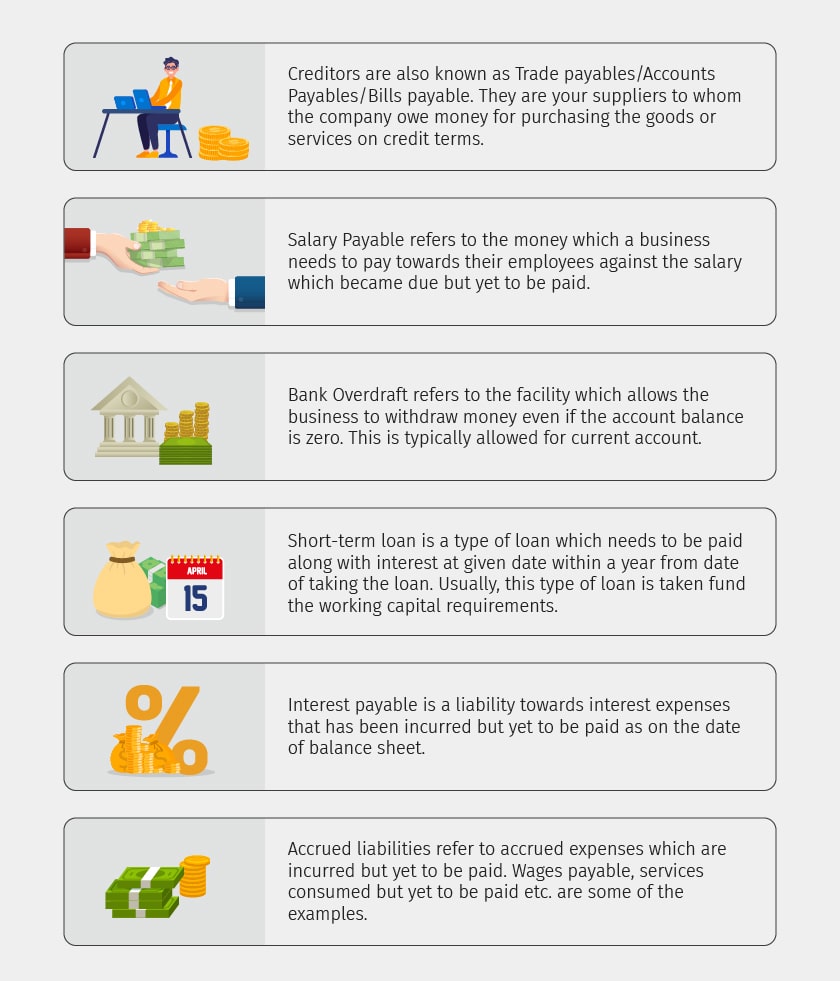
Current Liabilities Examples


Current Liabilities Examples

Comments

Popular posts from this blog

Break Even Point: Definition, Formula, Example and Analysis

What is the Break-Even Point? A simple financial tool which helps you determine at what stage your company, or a new service or a product, will be profitable. To put simply, break-even point analysis will tell you the number of products or services a company should sell to cover its costs, particularly fixed costs. Break-even is a situation where you are neither making money nor losing money, but all your costs have been covered. Break-even analysis is useful in studying the relation between the variable cost, fixed cost and revenue. Generally, a company with low fixed costs will have a low break-even point of sale. For example, a company has a fixed cost of Rs.0 (zero) will automatically have broken even upon the first sale of its product. The purpose of the break-even analysis formula is to calculate the amount of sales that equates revenues to expenses and the amount of excess revenues, also known as profits, after the fixed and variable costs are met. The main thing to understand i...

What are the Key Reports a Business Owner Must Track and Which is the Best Tool for it?

As a business owner, you must be already keeping a track of the overall financial health of the business. While you may hire an accountant for end-to-end tasks that will keep your books of accounts updated, it is imperative that as a business owner, you also go beyond the basic understanding of key financial reports to take your business to the next level. The three primary key aspects which would help you as a business owner to get a holistic view of your company’s books of accounts in sync with your business transactions are; Cash Stock and Taxation Cash What is the ultimate goal of any business? To have regular cash flow, right? So, where do we get these crucial insights about cash flow management in order to stay updated with your company’s finances from? Let’s take a look at how these cash flow reports will help you build your business and trigger long term, growth. Cash Flow Cash flow is the amount of money going in and out of your business. Healthy cash flow can help lead your b...

Tally Shortcuts

To select a Company F1 To change the current date F2 To open Company features screen F11 To open configuration screen F12 To duplicate a voucher from list of vouchers Alt+2 To add a voucher in list of vouchers Alt+A To delete a voucher/master Alt+D To change the period Alt+F2 To create a master from a voucher Alt+C To close a company, to view a report in detail Alt+F1 To email details Alt+M To print the current screen Alt+P To export details in ASCII, Excel, HTML or XML format Alt+E To display previous voucher during voucher entry PgUp To come out of a screen Esc To open the calculator Ctrl+N To print the current screen Alt+P